
AI & CODING FOR TEENS

Web Development for Young Learners

A 4-week live online programme where children aged 10–16 design, build, and publish a real website — learning HTML, CSS, and JavaScript through hands-on projects and AI-assisted coding tools designed specifically for young learners.

They Will Build a Website That Is Live on the Internet Before the Programme Ends.

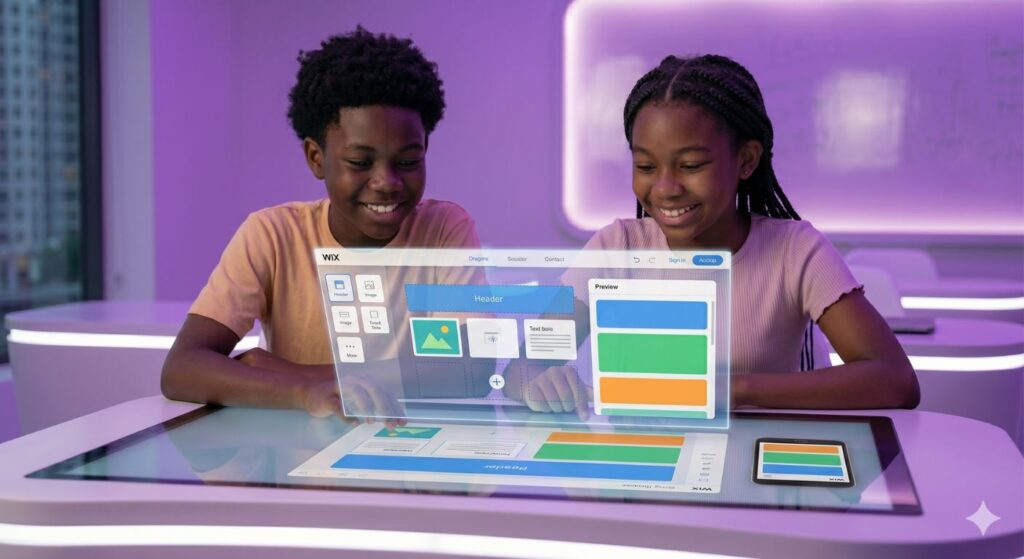
By the final session of this programme, every learner will have a website with a real URL — live on the internet, with their name on it, visible to anyone they choose to share it with. Not a school project saved on a laptop. A real, published website they built themselves. That is the goal the programme is structured around. Every session builds towards it. HTML in week two, CSS in week three, JavaScript and AI tools in week four. By the time the final session arrives, your child has the pieces — and they put them together into a complete site that launches live in front of the group.

Who Is This Programme For?

Building a website teaches a child that they are not just a consumer of the digital world — they are a potential creator of it. That shift in identity, at 12 or 14, is more valuable than any specific tool they learn along the way.


Course details:
Tuition Fee

KES 15,000

What You Will Be Able to Do

  • Build and publish a complete, real website with their own design, content, and domain
  • Write HTML to structure web pages the way professional developers do
  • Use CSS to style pages with colours, fonts, layouts, and spacing they chose themselves
  • Add JavaScript to make pages interactive — buttons that respond, content that changes
  • Use AI tools like ChatGPT as a coding companion to get help and fix mistakes
  • Understand how the internet works and how websites connect to it

Course Curriculum

Eight modules. Each one builds on the last. Each one ends with a real deliverable you keep.

Week 1
How the Web Works and Your First Web Page

What happens when you type a URL and press enter — explained for a 12-year-old. Browsers, servers, and HTML files. How they connect. Your child will have a working HTML page visible in a browser, with their name on it, before the first session ends.

Week 2
CSS: Making It Look Good

Colours, fonts, spacing, and layouts. This is where the page stops looking like a plain document and starts looking like a real website. Learners choose their own colour schemes, pick their own fonts, and arrange content to reflect their personality. By the end of this session the page looks designed — because it is.

Week 3
JavaScript: Making It Do Things

Buttons that respond when you click them. Text that changes. Simple games that run in the browser. Introduction to events and how code reacts to what a user does. This is the session where learners first realise how much of what they see on the internet is just JavaScript doing its job.

Week 4
AI Tools and Final Project

Using ChatGPT, GitHub Copilot, and Replit AI to get coding help, debug problems, and generate creative ideas. Then the final project: assembling everything into a complete personal website or small creative project, published live to the internet, and presented to the group — with parents invited to the demonstration.

Tools Your Child Will Use

Web Languages

HTML5
CSS3
JavaScript (basics)

AI Coding Tools

ChatGPT (coding help and ideas) Replit AI (built-in assistant) GitHub Copilot (introduction)

Editors

Replit (browser-based, no install) VS Code (introduced in week 3)

Publishing

Web hosting platform
Domain setup (guided in week 4)

Testimonials

What Parents and Learners Say

We enrolled our son in Python first and he enjoyed it so much that we signed him up for Web Development as well. The two programmes worked well together and helped him build on what he had learned. By the end he had a portfolio site that even showcased the Python game he created and his teachers were genuinely impressed.

Patrick Waweru Chezastemed Parent

I am 15 and had always wanted to build websites but the tutorials I found online were too confusing to follow. This programme started from the basics and everything was explained in a way that made sense to me. I now have my own website and I am already excited about what I want to build next.

Kelvin Mutua Chezastemed Student

I enrolled my 13 year old daughter so she could do something productive during the school holidays. I did not expect her to finish with a real website live on the internet that she could proudly share with her classmates. The confidence she gained from the experience made it far more valuable than I had anticipated.

Ruth Achieng Chezastemed Parent

FAQ's

Frequently Asked Questions

No prior experience at all is required. This programme starts from the very beginning — what the web is, what HTML is, and why it matters — before any code is written. If your child has done our Python programme, they will find some concepts familiar, but the two programmes are completely independent.

Yes. Publishing the website is a core part of week four. Every learner leaves the programme with a live URL — a real website on a real domain, accessible from any device. This is not optional and it is not a demo environment. It is a real published site.

A laptop or desktop — Windows or Mac — with a stable internet connection. Replit, which we use in the first three weeks, runs entirely in a browser with no installation required. Week four introduces VS Code, which is a free download. A smartphone or tablet is not sufficient.
The natural progressions from this programme are our Python Programming course (if not already completed), more advanced JavaScript, or learning React — the framework used by professional front-end developers. We can advise on the right next step based on your child's age, interests, and what they want to build.